


Cute Drawing : Anime Color Fan
4.6348.00 Reviews
App Specs
- Version
- 1.180
- Updated On
- License
- Free
- Downloads
- 10,000,000+
- Developer
- JoyCraze
- Categories
- Educational
- Platform
- Android
Screenshots
 Analysis by AppCompare
I look at Cute Drawing : Anime Color Fan as a casual coloring game first and a drawing lesson second. That distinction matters: it is aimed at people who want to spend a few calm minutes choosing colors and working on anime-style pictures, not at someone looking for a full digital art studio. For a child after school, or an anime fan who wants a low-pressure creative break, that focused idea is appealing. I would approach it as an easy pastime rather than a tool for learning formal illustration.
What the current version is best suited to
JoyCraze’s game is free to install, rated for Everyone, and sits in the educational category, though its appeal is more about hands-on creative play than structured lessons. It has a 4.6 average from around 53,000 ratings and has passed 10 million installs, which suggests that the simple coloring concept has found a wide audience. There are optional in-app purchases, priced from $1.99 to $6.99 per item, so I’d keep that in mind if a child will be using it and purchases are a concern.
The practical question is whether a coloring game can hold attention after the first few pictures. I find that this kind of activity works best when you set a small goal: finish one image, try a different palette, or add a few details before putting the phone away. It is less suited to someone who expects open-ended drawing space, layers, or the precise controls of a dedicated art app. The value is in making a picture feel approachable, not in replacing a sketchbook or a serious drawing workflow.
A small, useful way to build a coloring habit
For a younger player, I’d use it as a short, self-contained activity rather than leave it running as an endless distraction. Picking one picture and asking the child to choose a color theme—warm colors for a sunny scene, for instance—turns the session into a gentle decision-making exercise without making it feel like homework. Adults can use the same approach: decide on a palette before filling areas, then notice how the mood changes when the colors are swapped.
A useful tip is to pause before tapping through a picture and identify its largest areas first. Coloring those broad sections establishes the overall look, while smaller accents can be saved for the end. That order can make a finished image feel more coherent and avoids spending all your time on tiny details before settling on a palette. If the result feels too busy, a simpler set of colors is often more effective than adding more effects.
Where it sits among coloring and art apps
Compared with a general-purpose drawing app, this game is the easier starting point: the emphasis is on coloring anime-themed artwork rather than building an image from a blank canvas. That can be a genuine advantage for someone who likes the finished look of anime art but feels unsure about drawing faces or poses from scratch. By contrast, people who want to design their own characters, control layers, or practice line work will get more room to grow from a full illustration app, even if it takes longer to learn.
It also serves a different purpose from a physical coloring book. A phone is convenient when you have a few spare minutes, and the undo function makes experimentation less risky than committing a color to paper. Paper still wins for a screen-free activity and for children who enjoy markers or pencils. I’d choose this game for portability and quick revisions, not because digital coloring is automatically better.
Worth Reading Before You Choose

Flipboard Shows What News Apps Must Do Beyond the Feed

Switching to Android Auto Means Rethinking Your Driving Routine

Google Calendar Makes a Crowded Week Easier to Manage

Ludo King Makes the Most of the Minutes Between Plans

Baby Panda World Brings Quick Play to Modern Phones, but Its Game Library Feels Busy

ESPN’s Live Game View Makes Following Close Games Easier
Things I would check before handing over the phone
The free entry point makes it easy to try, but the optional purchases mean I would check the device’s purchase settings before giving it to a child. The age rating is Everyone, yet that does not remove the need for ordinary supervision around spending or screen time. If the aim is a quiet five-minute activity, agree on a stopping point before starting; a saved picture gives the session a natural finish.
I’d also treat the word “educational” with a little perspective. Choosing colors can encourage attention, patience, and creative decisions, but this is not the same as guided art instruction. A child who wants to learn how to draw anime eyes, proportions, or expressions may need a tutorial-based resource alongside it. The game is a friendlier first step for making choices on an existing picture than a substitute for teaching drawing fundamentals.
Getting Started with Cute Drawing : Anime Color Fan
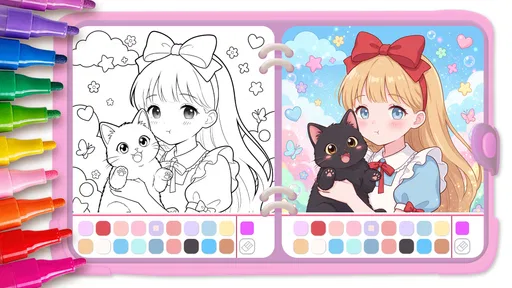
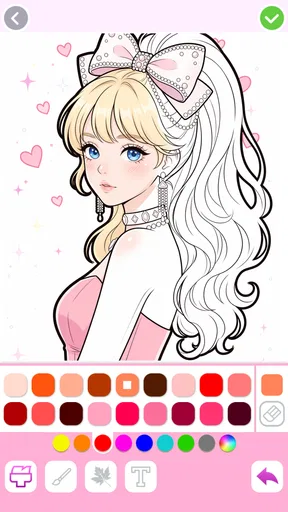
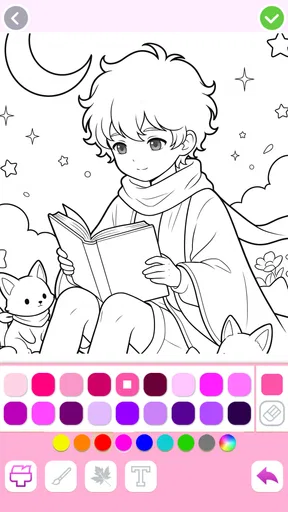
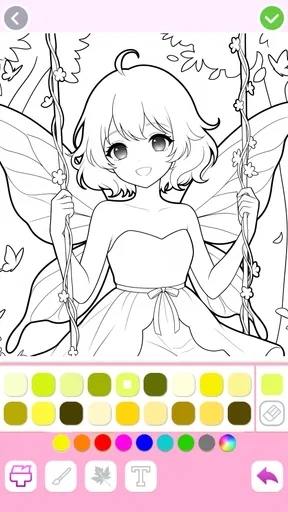
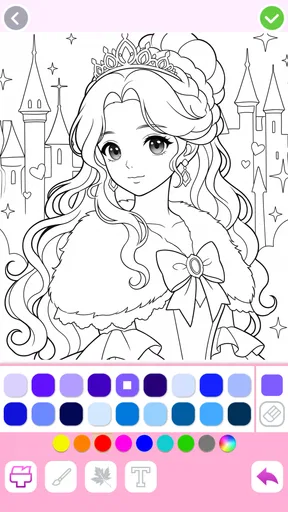
When you first open Cute Drawing : Anime Color Fan, you're greeted with a vibrant and user-friendly interface. The colors are bright and inviting, and the layout is intuitive, making it easy for anyone to start using right away. You don't need to be a tech wizard or a professional artist to navigate this app, which is a huge plus in my book.
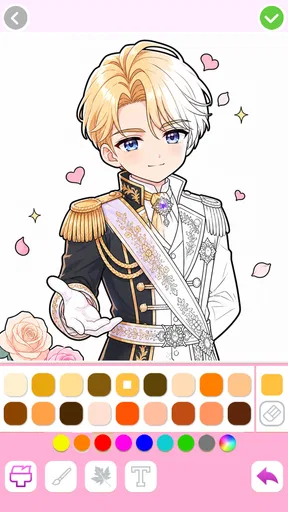
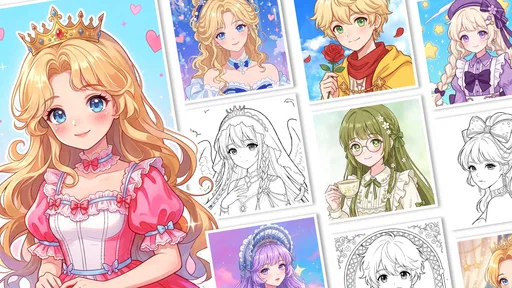
The app offers a variety of anime characters and scenes to choose from, each one cuter than the last. Whether you're into classic anime styles or contemporary designs, there's something here to suit every taste. The selection is broad enough to keep things fresh and exciting, yet not overwhelming, so you won't find yourself lost in a sea of options.
Coloring Experience
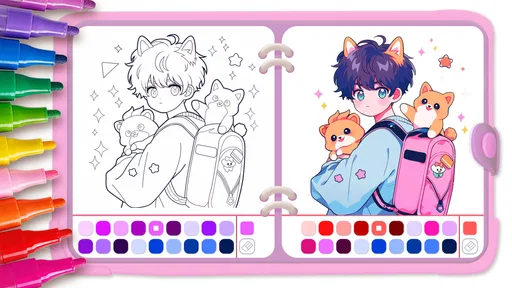
The coloring experience is where this app truly shines. The tools are straightforward yet versatile, providing everything from basic brush strokes to more advanced shading techniques. You can adjust the brush size, select from a wide range of colors, and even use special effects to add that extra sparkle to your creations.
One feature that really stands out is the "undo" button. I can't tell you how many times I've made a little mistake and wished I could just go back a step. Well, here you can! It’s like having a magic eraser that lets you tweak your work until it's just right.
Another cool feature is the ability to save your progress and return to it later. Life can get busy, and it’s nice to know that you can pick up right where you left off without any hassle. Plus, you can save your masterpieces to your device or share them with friends, showing off your artistic prowess to the world.
Why You'll Love It
Aside from the sheer fun of coloring your favorite anime characters, the app offers a relaxing and therapeutic experience. In today's fast-paced world, taking a moment to unwind and focus on something creative can do wonders for your mental health. It’s like a mini-vacation for your mind, without the need for a passport.
The community aspect is another big draw. The app allows you to connect with other users, share your work, and even participate in coloring challenges. It’s a great way to get inspired and see how others interpret the same images in unique ways. It’s like having a virtual art club right in your pocket!
How the update story affects regular users
The game was released on September 26, 2023, and its current version is 1.180. That gives existing players a clear version reference when they check whether their installation is current, but a version number alone does not tell me what changed in each release. I would not assume that a particular update added new pictures or tools unless the game itself describes that change. For someone already using it, the sensible approach is to judge an update by the experience after installing it: whether saved work remains available and whether the controls still feel familiar.
If you are deciding whether an older phone can run it, the listed minimum is Android 6.0. Meeting that requirement is a useful starting point, but it does not promise identical performance across every device. I’d try one short session before planning a long coloring project, especially if the phone is shared or older. That quick check tells you whether the interface responds comfortably enough for the way you want to use it.
Small workflow choices that make the experience smoother
When I want a relaxed session, I save the image before switching to another task rather than relying on memory to return to it later. The ability to continue a picture is most useful when coloring is split into natural stages: choose the main colors now, come back for details later, and stop when the picture feels complete. This is a better fit for a busy afternoon than trying to finish everything in one uninterrupted sitting.
For sharing, I’d finish and save a version I’m happy with before sending it to anyone. That gives me a personal copy to keep and makes the sharing step feel optional instead of part of the coloring process. It is also a practical boundary for children: create first, decide together afterward whether the picture is something to share. The game’s social side may be fun for users who enjoy seeing others’ work, but anyone who prefers private creative time can still focus on coloring and saving pictures.
What may disappoint the right person for the wrong reason
There is a trade-off in the ready-made artwork. It lowers the barrier to starting, but it also means the central creative decision is how to color an image rather than what to draw. If your satisfaction comes from inventing a character’s design, changing a pose, or building a scene from scratch, this may feel restrictive even if the coloring tools are enjoyable. I’d pick a blank-canvas art app for that kind of project and keep this one for quick, guided activity.
The same applies to anyone expecting a lesson plan. The educational label may make the game sound like a course, but I would not use it as the sole resource for teaching technique. It can give a beginner a comfortable way to experiment with color and practice staying with a task; learning anatomy, perspective, or how to create original anime characters calls for more explicit instruction. That is not a flaw so much as a limit on what this particular format can teach.
There is also a personal preference question around screen-based coloring. Some people find tapping and undoing relaxing; others enjoy the texture and slower pace of paper more. If a child is already spending plenty of time on a device, a physical coloring book may be the better choice for that moment. I see this game as one convenient option in a mix of creative activities, not something that needs to replace offline play.
What I would watch as I keep using it
For an existing player, the most useful signs of a good ongoing experience are practical rather than flashy: whether the current version stays comfortable to use, whether returning to saved work remains straightforward, and whether new sessions still feel enjoyable instead of repetitive. I’d pay attention to those points rather than expecting every update to transform the game. If the basic loop of choosing an image, coloring it, and saving or sharing the result still suits you, it continues to do its job.
For a new user, I’d start with one picture and see whether the available artwork and tools match your expectations before making any purchases. That answers the questions that matter most: is this more enjoyable than a standard coloring page for you, is the level of control enough, and does the anime theme hold your interest? If yes, it is an easy game to return to for a short creative break. If you want more freedom or structured lessons, choosing a different kind of art app will be a better use of your time.
Final Thoughts
Overall, Cute Drawing : Anime Color Fan is a delightful addition to any anime lover's app collection. It combines the joy of coloring with the charm of anime, creating an experience that's both fun and fulfilling. Whether you're a seasoned artist or just looking for a new hobby, this app offers something special for everyone.
So why not give it a try? Download it today and start exploring the colorful world of anime art. You might just find that it’s your new favorite way to relax and express your creativity.
Pros
- Easy-to-use interface for beginners.
- Vast library of anime characters.
- Offline mode available.
- Regular updates with new content.
- Supports multiple languages.
Cons
- Ads can be intrusive at times.
- Limited tools in free version.
- No social sharing features.
- Color palette could be expanded.
- Requires internet for some features.
FAQs for Cute Drawing : Anime Color Fan
What is Cute Drawing: Anime Color Fan?
Cute Drawing: Anime Color Fan is an engaging app designed for anime enthusiasts who enjoy coloring and drawing. It features a wide range of anime characters and scenes that users can color using a variety of tools and palettes. The app is a great way to relax and explore creativity.
Is Cute Drawing: Anime Color Fan free to use?
The app offers a free version with limited access to some features and illustrations. However, users can opt for in-app purchases or a subscription to unlock additional content and tools, providing a more enriched and ad-free experience. Pricing details are available within the app.
What are the main features of Cute Drawing: Anime Color Fan?
The app includes a diverse collection of anime illustrations, customizable color palettes, and various brushes and tools. It also offers features such as zooming for detailed work, saving and sharing options for completed artwork, and regular updates with new content to keep the experience fresh.
Is Cute Drawing: Anime Color Fan suitable for all ages?
Yes, the app is designed to be user-friendly and suitable for all ages. It offers a simple interface that both children and adults can navigate easily. Parental guidance is recommended for younger users, especially when it comes to in-app purchases or online sharing options.
Does Cute Drawing: Anime Color Fan require an internet connection?
While an internet connection is needed to download the app and access certain features or updates, many of the app's core functions, such as coloring and drawing, can be enjoyed offline. This makes it convenient for use on-the-go without constant internet access.


